

Having fun with analog
 iseries
Posts: 1,547
iseries
Posts: 1,547
I had a project that needed to read the voltage value from a device.
The P2 has this function but it not straight forward as using a voltmeter.
Each pin on the P2 has different calibration values so you need to determine what the low and high reading are. So, 0 volts and 3.3 volts have different value based on what pin you decide to use.
At first, I tried using a 5K pot to see how the values changed. Trying to set an exact voltage level on the pin is tedious at best.
I then remembered I had an AD5220 chip laying around somewhere if only I could remember where.
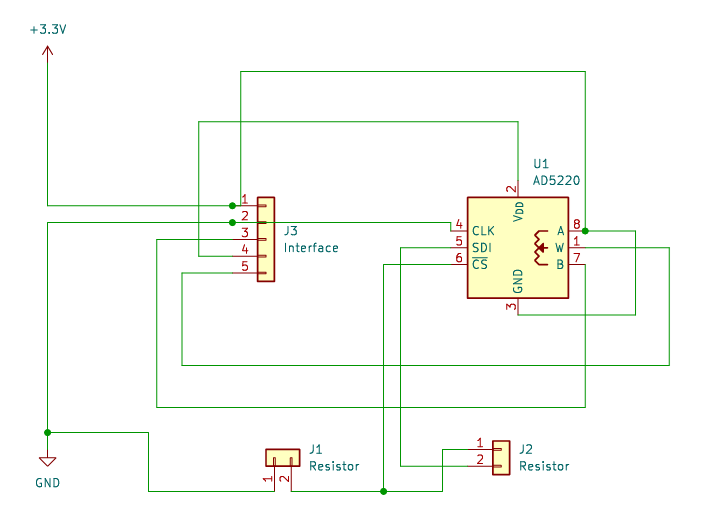
After finding it I wired it up and built a program to adjust the voltage programmatically from low to high and then some voltage I wanted to measure. I thought this was so neat that I had a board made so I could just plug this in and find the values of whatever pin I needed.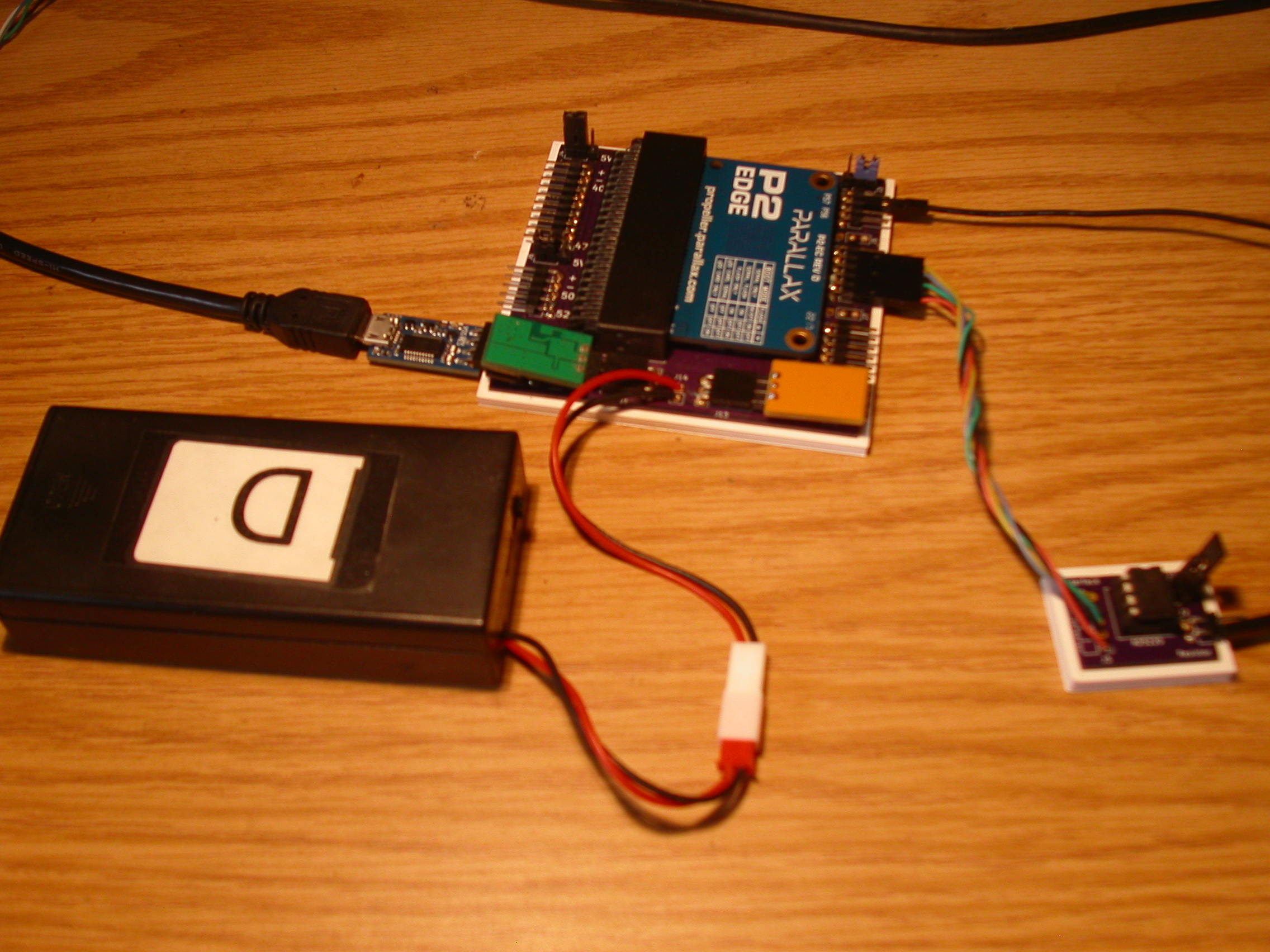
The AD5220 has 128 positions available and the only way to set it is start at the bottom or top and could each position. The newer variable resistor unit now use I2C or SPI to set what position you want but they are not bread board friendly.
By programming the AD5220 to a value I need to apply a voltage to a pin I can load a test program and test that voltage without having to touch a pot. Look ma no hands!
#include <stdio.h>
#include <propeller.h>
#include "smartpins.h"

void Check(void);
void Set(int, int);
int Status(void);


#define CK 22
#define CS 20
#define UD 21
#define POWER 36


int Low;
int High;
int Middle;
int Factor;
volatile int wait;


int main(int argc, char** argv)
{
    int i;
    int j;

    _pinh(CS);
    _pinl(CK);
    _pinl(UD);
    _pinl(CS);

    _pinstart(POWER, P_ADC | P_ADC_1X, 13, 0);

    printf("Starting\n");

    Check();

    printf("Low: %d, Middle: %d, High: %d\n", Low, Middle, High);

    Set(128, 0);

    Factor = (High - Low) * 10 / 33;

    printf("Per Volt Factor: %d\n", Factor);

    j = (High - Low) / 128;
    j = (Factor * 205) / j / 100; // ten amps = 2.5 + .4 / 2

    //j = 49;
    printf("Setting to 2V --> %d\n", j);

    Set(j, 1);

    _waitms(500);

    i = _rdpin(POWER) - Low;

    printf("Adjusted Reading: %d, %dV X 100\n", i, i * 100 / Factor);

    i = Status();

    printf("Read Time: %d useconds X 10\n", i);

    _pinh(CS);

    while (1)
    {
        _waitms(5000);
    }
}

void Check()
{
    int i;

    Set(128, 0);

    _waitms(500);
    Low = _rdpin(POWER);

    Set(128, 1);

    _waitms(500);
    High = _rdpin(POWER);

    Set(64, 0);

    _waitms(500);
    Middle = _rdpin(POWER);

}

void Set(int x, int ud)
{
    if (ud == 0)
        _pinl(UD);
    else
        _pinh(UD);

    _waitx(250);

    for (int i=0;i<x;i++)
    {
        _pinh(CK);
        _waitx(250);
        _pinl(CK);
        _waitx(250);
    }
}

int Status()
{
    int i;
    int useconds = 0;
    int v;
    int t;

    while (_pinr(POWER) == 0);

    for (i=0;i<10;i++)
    {
        t = _getus();
        while (_pinr(POWER) == 0);
        v = _rdpin(POWER);
        useconds += _getus() - t;
    }

    return useconds;
}
By running this program, it will give me the low, high and conversion factor for any given pin.
Mike
Comments
Hi,
if 8 bit resolution is fine, you can also use EVANH's SAR https://obex.parallax.com/obex/8-bit-sar-adc/ which does not need calibration.
Cheers Christof
I've written a simple driver for analogue IO that is handy if you just need to read some potentiometers or measure a voltage and no special timing requirements have to be met and ~12 bits resolution and 8..10 bits accuracy is sufficient.
You can simply call InitAdcPins() and it handles the calibration. Offset and gain is calibrated only once so thermal drift is not compensated over time. For most applications this is OK as pin-to-pin and IC-to-IC variations are usually much greater than thermal drift.
By default, values are given in millivolts ranging from 0 to 3300. If required you can use different units by changing a constant. If anybody finds this useful I can put it into OBEX.
I'm currently setting up a little test system where I use dials (quadrature), rotary encoders (quadrature), input switches, LVDT's to measure displacement (full bridge and voltage divider), thermocouples (SPI), another goal is to directly interpolate linear optical scales. Wherever possible I want to integrate these functions in a single process running on a cog and making use of the smartpins. This solution is for simple, not time critical tasks and is Q&D. But it may extend to use interrupts to improve overall performance. This module will bring together different solutions for popular problems and so can be seen as a collection of information, how to use the smart pins. For me at least, they a still a great secret. ;-)
What do you mean with "linear optical scales"? Glass scales like those from Heidenhain with sin/cos output?
yes, I'll give it a try ;-)
There is an old open source project for the Propeller 1 in this german forum. I will port this to the P2, soon, as I need it for my new controller.
With that P1 board I was able to get ~10nm resolution with a Heidenhain glass scale. You could tell from the dithering of the last digit of the position when somebody walked in the next room or if a truck drove by in front of the house without seeing them. Very sensitive seismometer...
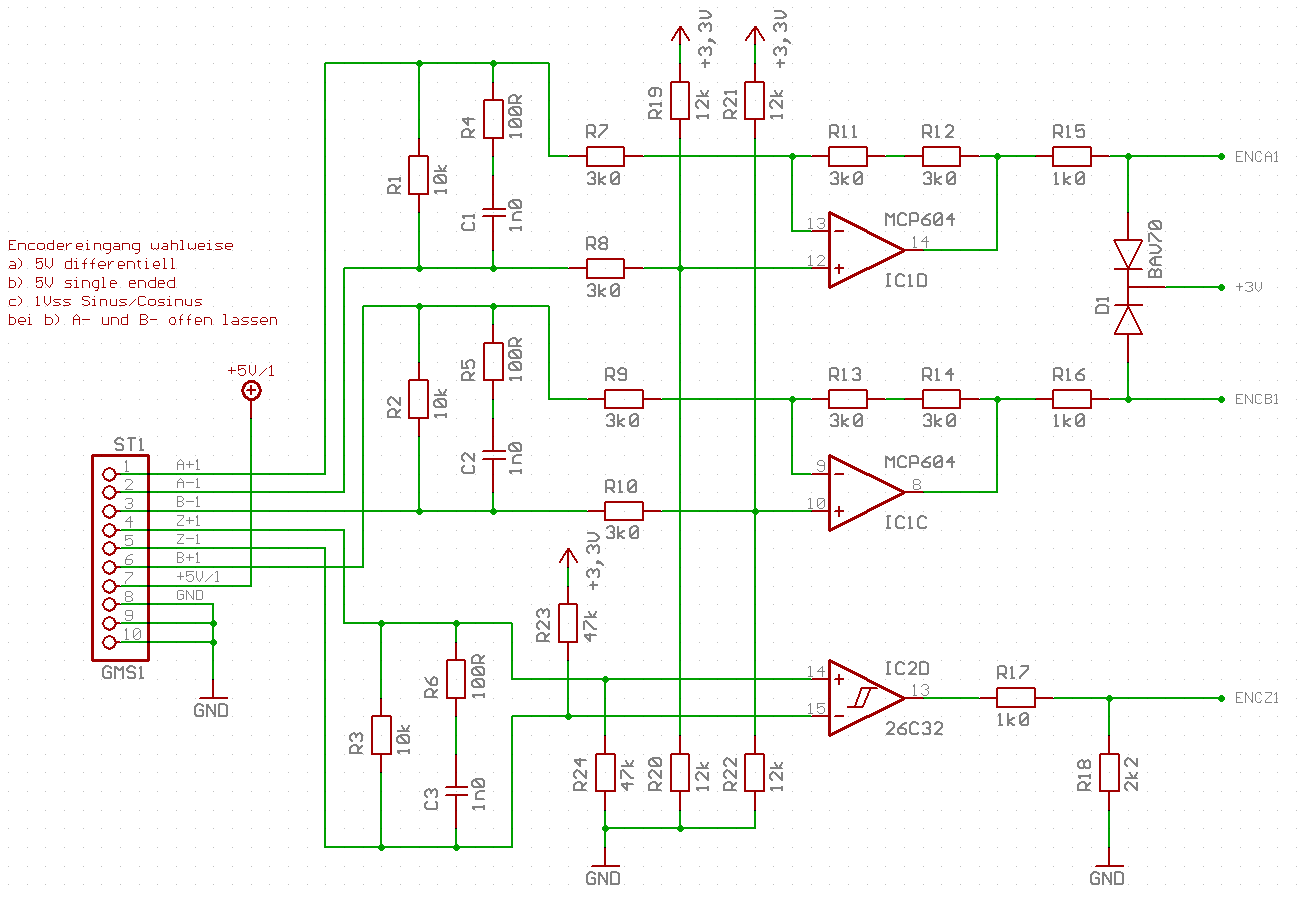
The arctan interpolation should be much easier on the P2. The most difficult problem is the offset adjustment. Those glass scales have 1Vpp nominal differential amplitude but the signal can get as low as ~0.5Vpp with an offset of ~0.3V worst case. So you definitely have to account for the offset.
This is the analog frontend:
Something already happens:
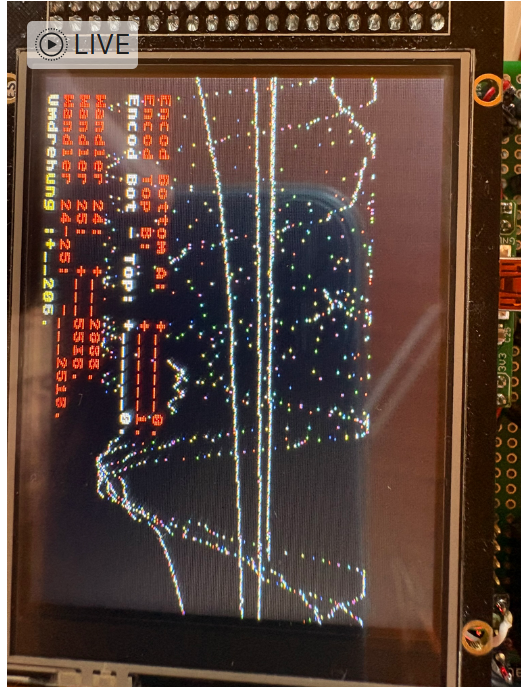
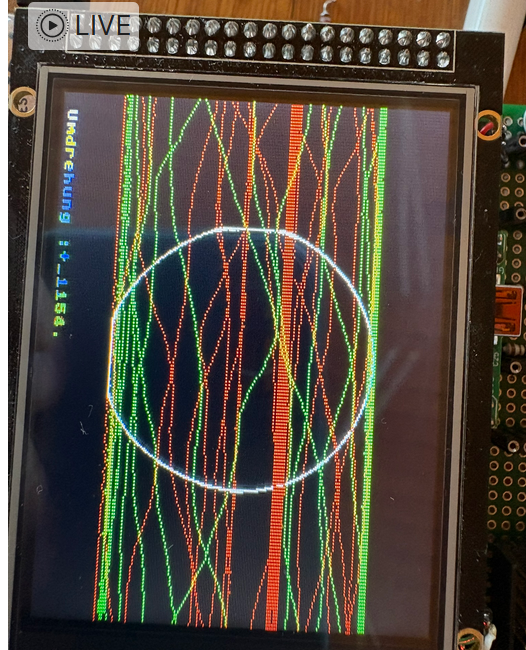
Looks like up and down on one channel, now Q&D add the second and display x/y:
That looks promising and I just have to calibrate the signals and reduce the amplitude ;-)
I'll do some more tests, this for sure is not O.K. now, but I can not imagine to get such a result in a few minutes with a different processor!
I've played with reading heidenhain 1vSS encoders with smartpins before.
I like to do a course read by sending A and A-not into a comparator, B and B-not into a comparator and sending the comparator outputs into a quadrature counter input, to get the "course " position.
Then interpolate the sin/cos analog signals for the fine distance between lines...
` A_BarPin = 0
EncApin = 1 'smartpin encoder A signal input pin
EncSmartPin = 4 'read smartpin to get quadrature counter
B_BarPin = 2
EncBpin = 3 'smartpin encoder B signal input pin
`PRI One_volt_pp_QuadEncoder_coarse() 'differential_ttl_QuadEncoder()
pinstart(EncSmartPin, P_MINUS1_A | P_MINUS3_B | P_QUADRATURE , 0, 0)
wrpin(EncApin,P_COMPARE_AB)
wrpin(EncBpin,P_COMPARE_AB)