

Serial 4 digit, 7-segment LED display
 Hugh
Posts: 362
Hugh
Posts: 362
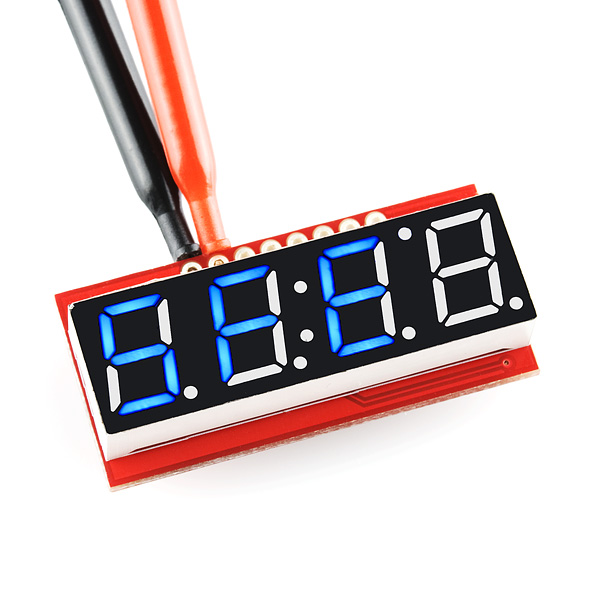
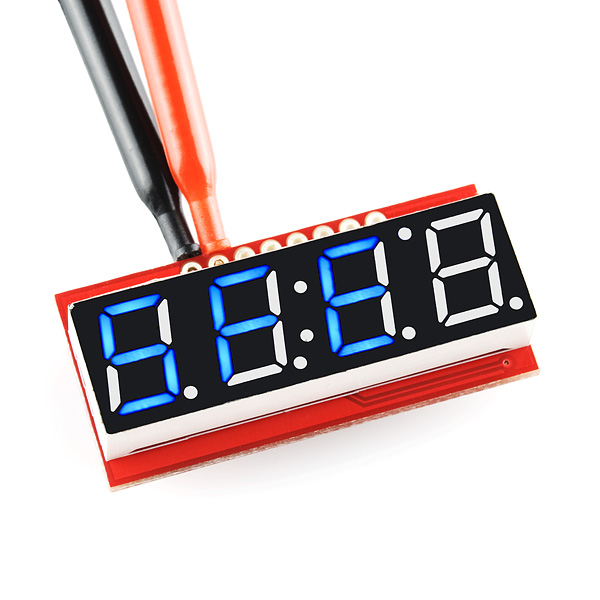
Has anyone played with one of these four-digit, seven-segment LED displays with TTL / SPI / I²C interfaces? If so, do you know of any code with which I could test mine?
It should be really simple but I am not sure mine is actually working as it should ("a bad workman blames his tools").
Thanks
Hugh
It should be really simple but I am not sure mine is actually working as it should ("a bad workman blames his tools").
Thanks
Hugh
600 x 600 - 97K
Comments
Are you talking about the ones from Sparkfun? A link to the item would help.
Here is some test code I used with some older Sparkfun models
CON _clkmode = xtal1 + pll16x _xinfreq = 5_000_000 DecPts = $77 ' "w" Decimal point command Brightness = $7A ' "z" Brightness command 0(bright) - 254(dim) setBaud = $7F ' DEL 0=2400, 1=4800, 2=9600, 3=1440, 4=19200, 5=38400, 6=57600 ClearScr = $76 ' "v" clear display and set position to 1st digit Digit1 = $7B ' "{" set individual segments for digit one Digit2 = $7C ' "|" set individual segments for digit two Digit3 = $7D ' "}" set individual segments for digit three Digit4 = $7E ' "~" set individual segments for digit four TX_PIN = 0 BAUD = 9_600 VAR OBJ Seg7 : "FullDuplexSerial.spin" ' : "simple_serial" ' bit-bang serial driver PUB Main Seg7.start(TX_PIN, TX_PIN, %1000, BAUD) ' ignore tx echo on rx waitcnt(clkfreq / 100 + cnt) Seg7.tx(ClearScr) Seg7.tx(Brightness) Seg7.tx(4) waitcnt(clkfreq + cnt) Seg7.str(string("1234")) waitcnt(clkfreq + cnt) Seg7.dec(1567) repeat waitcnt(clkfreq + cnt) Seg7.stop DAT testmsg byte "testing", 0I'd intended to set the picture so it was possible to 'click through' to the spec but must have sponged that up also.
Cheers
Hugh
Actually cutting and pasting the code screwed up the FDS settings - it should read
Seg7.start(TX_PIN, TX_PIN, %1000, BAUD) ' ignore tx echo on rx
Here is a video I did using a Basic Stamp
It works ver well - thanks!